IES files for DIALux in Malaysia: why the exact luminaire data matters
Learn why wattage and lumens are not enough for DIALux, what to check in an IES or LDT file, and how incorrect product data can mislead a lighting layout.
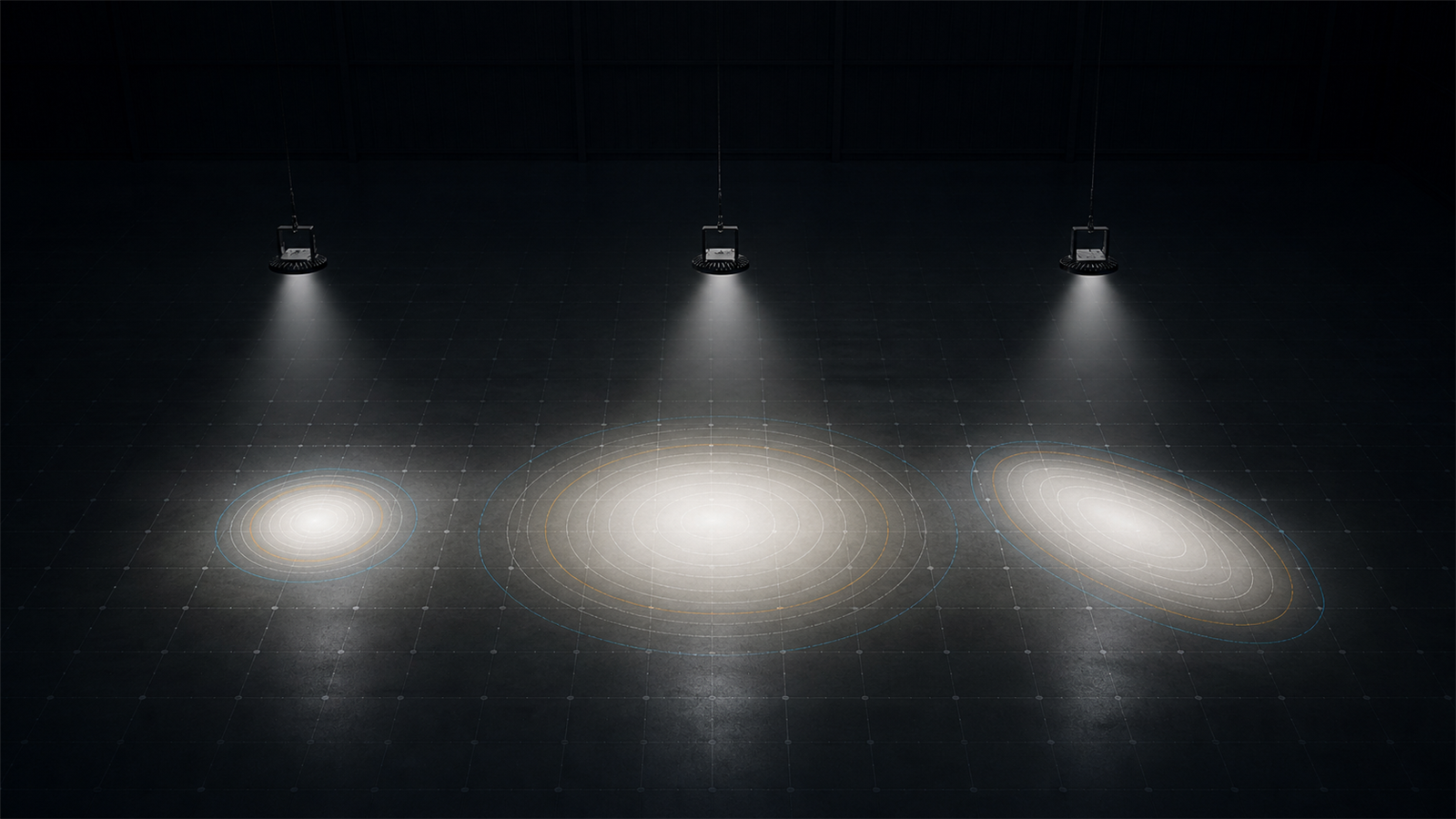
Wattage and lumens do not describe where the light goes
Two luminaires can have the same wattage and similar lumen output yet produce very different results on the working area. A narrow high-bay optic may concentrate light between racks, a wide optic may spread it across an open floor, and an asymmetric streetlight or floodlight distribution may push light in a chosen direction.
DIALux needs the luminaire's measured or prepared photometric distribution to calculate that difference. Entering only a lumen value cannot reproduce the intensity pattern, beam shape or asymmetry of the real product. That is why a catalogue headline is not enough for a defensible layout.
What IES, LDT and GLDF files contribute
An IES file follows a standard electronic format for transferring photometric data and related information. EULUMDAT files use the .ldt extension and also carry lighting data that DIALux can use. DIALux officially supports standard photometric formats including IES and LDT, while its current workflow can also import ULD and GLDF luminaire data.
These files allow software to work with luminous-intensity information rather than treating a luminaire as a generic point source. GLDF can package richer product information and multiple variants, but a more detailed format is only useful when the selected variant and underlying data actually match the fitting proposed for the project.
The exact model, output and optic must match
One product family may contain several wattages, lumen packages, colour temperatures, beam angles, road optics or emergency versions. A file from the right brand but the wrong variant can still create a misleading calculation. Renaming a generic file to the proposed model does not make the distribution correct.
Before calculation, match the manufacturer, full model or ordering code, wattage, stated output and optic designation. For adjustable floodlights or streetlights, confirm the file orientation and the intended mounting or aiming direction. When the file metadata is incomplete, request confirmation from the manufacturer or authorised supplier rather than guessing.
Common ways incorrect photometry distorts a layout
A distribution that is too wide can make pole or high-bay spacing look more generous than the real fitting will support. A distribution that is too narrow may create bright pools and weak gaps. Using a symmetric file for an asymmetric road optic can shift the apparent coverage, uniformity, glare-related results and spill outside the intended area.
The error may not be obvious from the rendered image alone. Check the luminaire identity, light-distribution diagram, orientation, quantity, mounting height and result tables together. If the proposed product changes after the report is issued, the simulation should be updated with the new verified data.
A practical file checklist for Malaysian projects
Send the drawing, mounting information, required result and the exact product code together. Include the original IES, LDT, ULD or GLDF file received from the manufacturer where available, rather than a screenshot of a polar curve or a web-page lumen figure. State whether the study concerns a warehouse, office, emergency system, car park, road, industrial yard or football field so the relevant calculation areas can be prepared.
A DIALux calculation records how the selected photometry performs in the modelled project. It does not certify the data file, approve the luminaire or guarantee authority acceptance. Product authenticity remains the responsibility of the supplier, and project compliance or approval remains with the responsible consultant, client and relevant authority.
Frequently asked questions
Can I use a generic IES file when the exact luminaire file is unavailable?
A clearly labelled generic file may support an early concept comparison, but it should not be presented as the final product result. Replace it with verified data for the exact model and optic before making a specification, purchase or submission decision.
Is an IES file better than an LDT file for DIALux?
Neither extension is automatically better for a project. What matters is that the file is valid, reliable and matched to the exact luminaire variant. GLDF can carry richer product and variant information, but the underlying photometry still needs to be correct.